


Weather Forecast, Live Radar
4.41.86K Reviews
App Specs
- Version
- 1.5.7
- Updated On
- License
- Free
- Downloads
- 10,000,000+
- Developer
- Fillog Studio
- Categories
- Weather
- Platform
- Android, iOS
Screenshots
 Analysis by AppCompare
I usually open a weather app when I’m deciding whether to leave now, pack a layer, or change an outdoor plan. Weather Forecast, Live Radar is built around that quick decision-making: it combines forecast information with radar views, alerts, and home-screen widgets. The radar makes it more useful than a simple temperature glance, though it still depends on a working connection when I want current conditions. For everyday planning, I find that balance practical—as long as I treat a forecast as guidance rather than a guarantee.
When a connection matters most
Forecasts and radar are most valuable when they reflect changing conditions, so the app’s network dependence is part of the experience, not a minor detail. Before heading out, I’d check the forecast while connected, then look at the radar again if rain is approaching or the sky changes. That second check is especially worthwhile when timing matters: a shower that misses the morning commute can still affect the walk home.
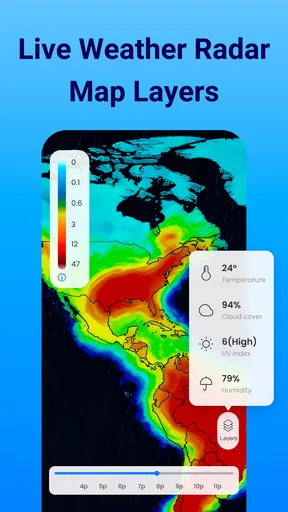
A useful habit is to check the radar at the point where you need to make a decision, rather than assuming an earlier view will stay current. Radar can help you understand where precipitation is moving, but it isn’t a promise about exactly what will happen at your street or at a specific minute. I’d use it to decide whether to bring an umbrella or postpone a picnic, not as the only basis for a high-stakes safety decision.
Useful in motion, with a little preparation
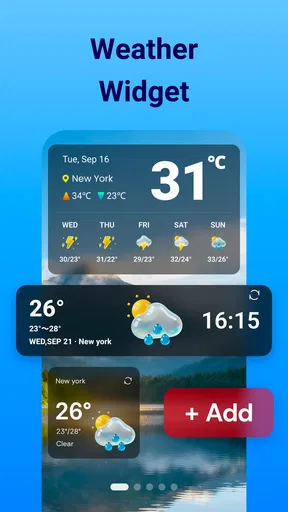
The home-screen widget is a good fit for days when I’m checking conditions between other tasks. It can make a quick glance easier than opening the full app, particularly during a busy morning. I’d still open the app when the widget’s snapshot raises a question—such as whether rain is likely soon—because a compact display cannot replace looking through the detailed forecast and radar.
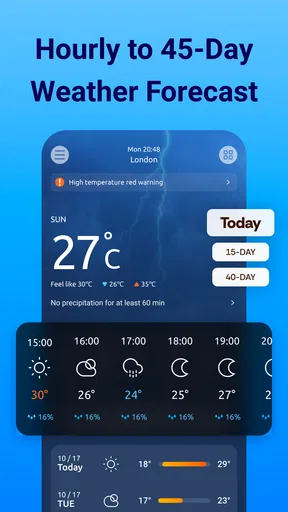
For a commute, the hourly view is more useful than a broad daily high and low: it helps me think about the conditions during the hours I’ll actually be outside. For a weekend outing, the multi-day forecast gives an early planning reference, but I’d revisit it closer to departure before committing to a weather-sensitive plan. That approach makes the different forecast views work together instead of treating a prediction several days away as settled fact.
Travel introduces another practical trade-off. When I’m moving between places, a forecast for where I started may no longer answer the question I have. I’d check the location relevant to the next part of the trip and confirm the conditions again once plans become concrete. The app can support that routine, but changing locations and staying connected are still things the user has to manage.
Alerts, interruptions, and recovery
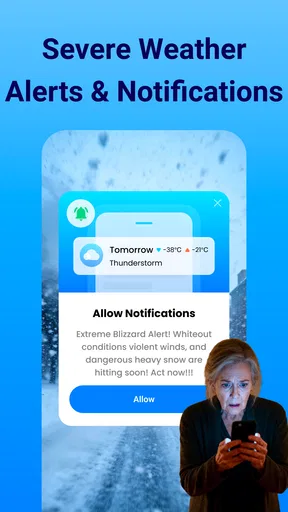
Alerts can be helpful when I’m not actively watching the weather, but notifications are only useful if they match what I care about. I’d begin with the types of changes that could alter my plans and keep the alert setup focused. Too many notices can become background noise, while too few may leave me relying on memory to check the app. It is worth revisiting those choices when my routine changes—for example, during a week of outdoor work rather than a mostly indoor one.
Worth Reading Before You Choose

Flipboard Shows What News Apps Must Do Beyond the Feed

Switching to Android Auto Means Rethinking Your Driving Routine

Google Calendar Makes a Crowded Week Easier to Manage

Ludo King Makes the Most of the Minutes Between Plans

Baby Panda World Brings Quick Play to Modern Phones, but Its Game Library Feels Busy

ESPN’s Live Game View Makes Following Close Games Easier
Connectivity can also be uneven while travelling or indoors. If current radar information doesn’t appear to refresh, I wouldn’t immediately assume the weather has stopped changing; I’d check the connection and try again when it is available. For an important decision, I’d also consult another reliable source rather than treating one screen as the final word. That is a sensible backup for any weather app, especially when conditions are severe or fast-moving.
Because the app is designed around live weather information, I wouldn’t plan on it replacing a saved itinerary or a separate offline reference. If you know you’ll be somewhere with unreliable service, check the forecast before you go and keep your plans flexible. That preparation is more useful than expecting a live radar view to answer questions when the phone cannot reach current information.
Choosing how much detail to use
Not every day calls for radar. If I only need to know whether to wear a coat, a quick glance at the widget or the main forecast may be enough. When rain timing matters, the radar earns its place; when I’m comparing several days for an event, the longer forecast is the better starting point. Matching the view to the question keeps the app convenient instead of turning a simple check into a long session.
Widgets also involve a small home-screen trade-off: they save steps, but they take up space and are most helpful when weather is something you check regularly. I’d place one where it is easy to glance at, then use the full app only when I need more context. If you rarely check weather or prefer a very minimal phone layout, opening a basic forecast app only when needed may suit you better.
Features that Shine
First off, the app’s interface is a total breeze. It’s not just about throwing numbers at you; it’s about making sure you understand them. The design is clean, with a neat layout that doesn’t feel cluttered at all. You can easily swipe through different sections, which is perfect for quick checks during your morning rush.
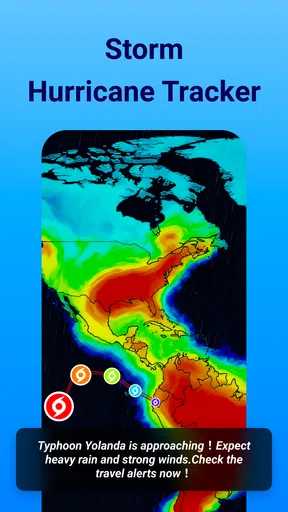
Now, the real MVP here is the live radar feature. This thing is a game changer! Imagine being able to see real-time updates on weather patterns right on your phone. Planning a road trip or an outdoor gathering? You can adjust your plans based on what’s happening in the sky above. It’s like having a mini meteorologist in your pocket.
Accuracy and Reliability
When it comes to weather, accuracy is everything. I’ve used plenty of apps that claim to predict the weather, but this one actually delivers. The forecasts are spot on, even for those unexpected showers that love to crash our sunny days. It’s updated frequently, so you’re never left out of the loop.
The app also includes detailed forecasts for multiple days ahead. Whether you’re planning for the weekend or just curious about next week’s weather, you’ve got all the info you need right here. I found the hourly breakdown especially useful, as it helps in planning my day down to the tiniest detail.
Additional Perks
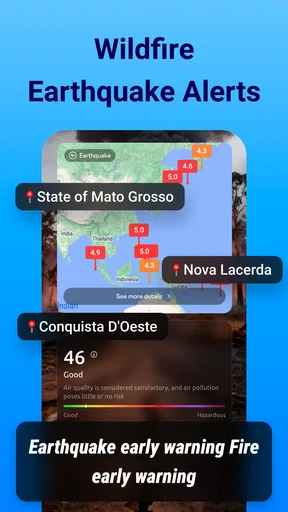
One of the coolest features has to be the weather alerts. These handy notifications keep you informed about any sudden changes. Whether it’s a thunderstorm or a heatwave, you’ll know about it way before it hits. I was pleasantly surprised by how customizable these alerts are; you can tweak them to your liking, ensuring you only get the info you want.
There's also a pretty neat widget option, so you can have the weather right on your home screen without even opening the app. It’s a small touch, but it makes a big difference in convenience.
User Experience and Accessibility
Let’s talk user experience. The app is super intuitive, even for those who aren’t exactly tech-savvy. Navigating through it feels natural, and there’s a helpful tutorial for first-time users. Whether you’re a weather enthusiast or just someone who wants to know if you’ll need an umbrella, this app has got you covered.
Fillog Studio develops this free weather app, which is rated for Everyone and has reached more than ten million installs. Its average rating is 4.5 from around 103,000 ratings, with roughly 1,800 written reviews. Those figures suggest it has found a broad audience, though they can’t tell you whether its presentation or forecast style will suit your own habits.
The current version is 1.5.3, and it runs on Android 6.0 or later. The app is free to install, with optional in-app purchases ranging from $1.99 to $19.99 per item. I’d start with the free experience and decide whether any paid option is worthwhile only after checking how often I use the features that matter to me.
It’s also worth mentioning that the Weather Forecast, Live Radar app is available on both Android and iOS. So, no matter what device you’re rocking, you can stay updated. Installation is a breeze, and it doesn’t hog your phone’s storage, which is always a plus.
How it fits beside other weather options
Compared with a basic weather app that focuses on a current temperature and a short forecast, this one makes more sense for someone who wants radar, alerts, and a widget in the same routine. That extra detail is useful when I’m deciding whether to wait out a shower or leave earlier. On the other hand, people who only check the day’s high and low may find a simpler built-in weather view quicker and less demanding.
It also isn’t a substitute for specialist information in every situation. If I were making decisions for a long outdoor event, a remote journey, or a serious weather threat, I’d compare its view with authoritative local advisories and keep checking as conditions evolve. Radar helps visualize precipitation; it does not remove uncertainty or guarantee that a forecast will match the conditions at a precise location.
A realistic use case is a morning with a walk to work and an outdoor appointment later in the day. I’d glance at the widget before leaving, use the hourly forecast to judge the timing, and check the radar again before the appointment. If the picture changes, an alert or another look can prompt me to bring rain gear or move the meeting indoors. That is where the combination of quick access and deeper views feels more valuable than any one feature by itself.
Who will get the most from it
I’d recommend it to people who make frequent weather-related choices: commuters, dog walkers, parents coordinating outdoor plans, and anyone who prefers seeing a radar view rather than relying only on a daily summary. The widget suits people who want weather visible without opening an app, while alerts can help those who are busy and don’t remember to check regularly.
I’d be less enthusiastic for someone who wants a completely hands-off experience, rarely checks conditions, or needs dependable access where service is often unavailable. It is also not the best sole reference for emergency decisions. In those cases, a simpler forecast tool may be enough for casual planning, while local official alerts should take priority when safety is involved.
Final Thoughts
All in all, the Weather Forecast, Live Radar app is a solid pick for anyone looking to stay ahead of the weather game. It’s packed with features that are not only helpful but also easy to use. Whether you’re planning your weekend getaway or just want to know if you should bring a jacket, this app’s got your back.
So, if you’re tired of being caught off guard by the weather, give this app a shot. It’s like having your very own weather station at your fingertips. Stay dry, stay informed, and most importantly, stay ahead!
My connectivity verdict
For me, the app works best as a connected companion for routine decisions, not as a guaranteed source of live information in every setting. The radar, alerts, forecast views, and widget each serve a different moment, but their value depends on checking the right view at the right time and keeping expectations realistic. I’d try it if weather frequently changes my plans; if all I need is an occasional temperature check, a simpler alternative may be enough.
Pros
- Accurate real-time weather updates.
- User-friendly interface with intuitive design.
- Customizable alerts for severe weather.
- Detailed hourly and weekly forecasts.
- Supports multiple locations for tracking.
Cons
- In-app ads can be intrusive.
- Requires internet for most features.
- Limited offline functionality.
- Occasional minor bugs in radar animation.
- Some features locked behind paywall.
FAQs for Weather Forecast, Live Radar
What features does Weather Forecast, Live Radar offer?
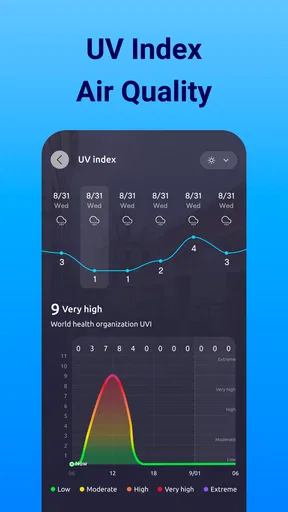
Weather Forecast, Live Radar provides real-time weather updates, live radar maps, and detailed forecasts. It includes features like severe weather alerts, daily and hourly forecasts, and an intuitive interface for easy navigation. Users can also customize notifications and get weather information tailored to their location.
Is Weather Forecast, Live Radar free to use?
Yes, Weather Forecast, Live Radar offers a free version with all essential features. However, there are in-app purchases available for users who want to access additional premium features such as ad-free usage, advanced radar layers, and extended forecast details.
How accurate is the weather information provided by the app?
The app sources its data from reliable meteorological agencies and uses advanced algorithms for accuracy. It provides up-to-date information and regularly updates forecasts. Users generally find the app's predictions accurate, though it's always wise to verify severe weather alerts with local authorities.
Does Weather Forecast, Live Radar require an internet connection?
Yes, the app requires an internet connection to access real-time data and update forecasts. While some previously fetched information may remain accessible offline, features like live radar and updates rely on connectivity to provide the most current weather conditions.
Can Weather Forecast, Live Radar be used internationally?
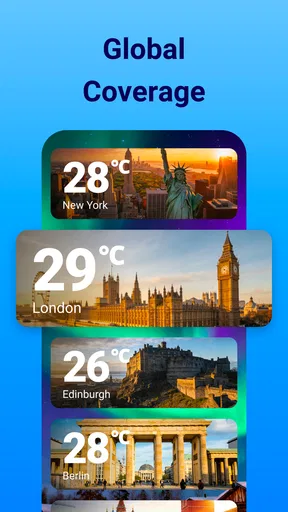
Absolutely, the app supports a wide range of locations worldwide. Users can set their preferred locations and receive weather updates for any place they choose. This makes it a great tool for travelers and those interested in global weather patterns.


